
See It In Action · For organizers, day-of and after
Volunteer Roster & Attendance
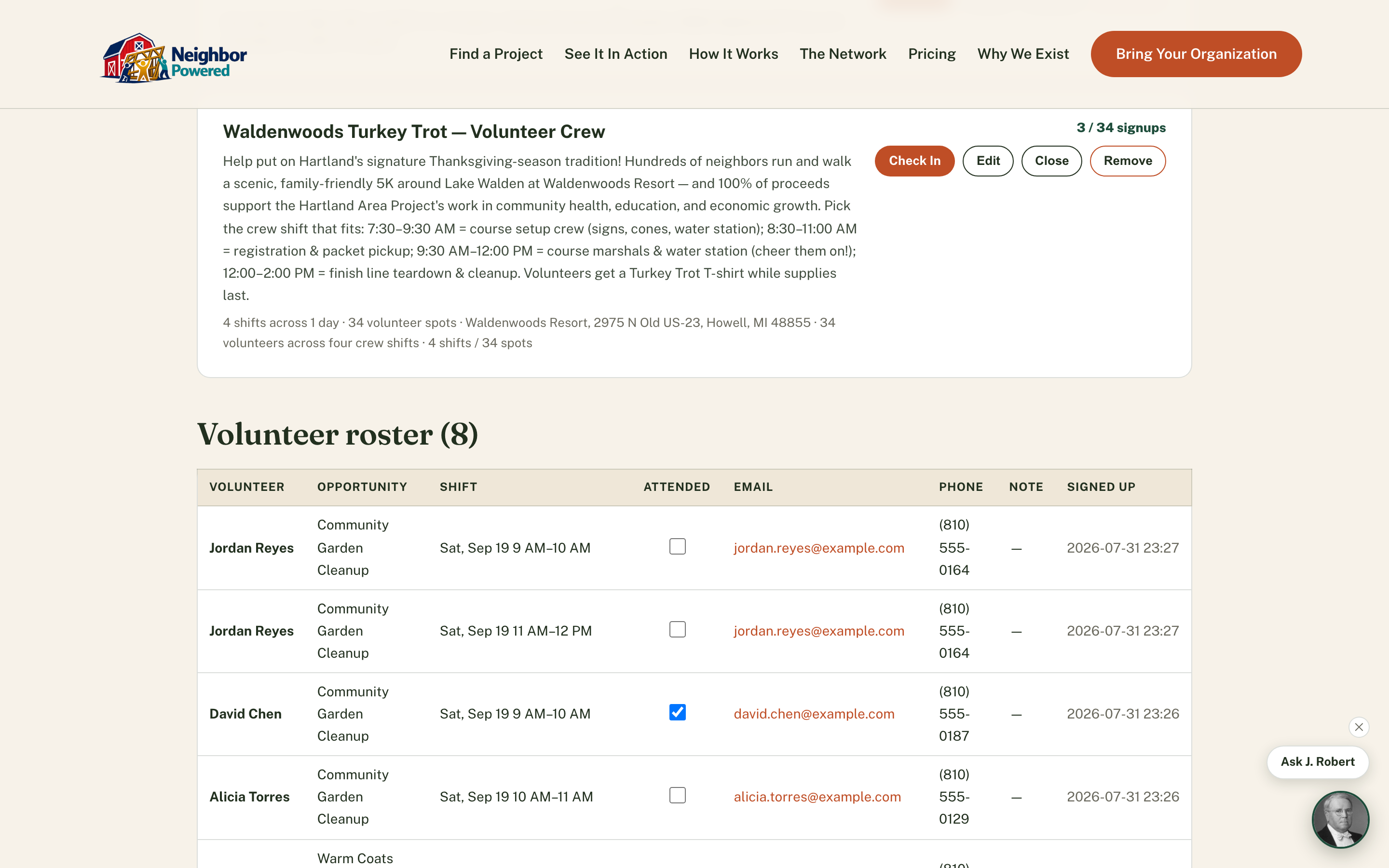
See exactly who signed up for what shift, and check them off as they arrive.
How it works
The flow, step by step.
Every signup, one table
Volunteer name, which opportunity, the exact shift, email, phone, and any note they left — all in one sortable roster, across every project you run.
Check attendance as people arrive
One click marks a volunteer attended — no separate sign-in sheet to reconcile afterward.
A record that outlives the day
Because opportunities close instead of deleting once they have signups, the roster and attendance record are never lost, even after the project wraps.
Why it matters
Organizers stop reconstructing "who actually showed up" from a paper clipboard after the fact — attendance is captured in the same system that took the signup, so the record is accurate the moment the last volunteer checks in.