See It In Action · For organization administrators
Organizer Dashboard & Link Kit
Manage every opportunity and get a ready-made link or button for your own website — nothing to install.
How it works
The flow, step by step.
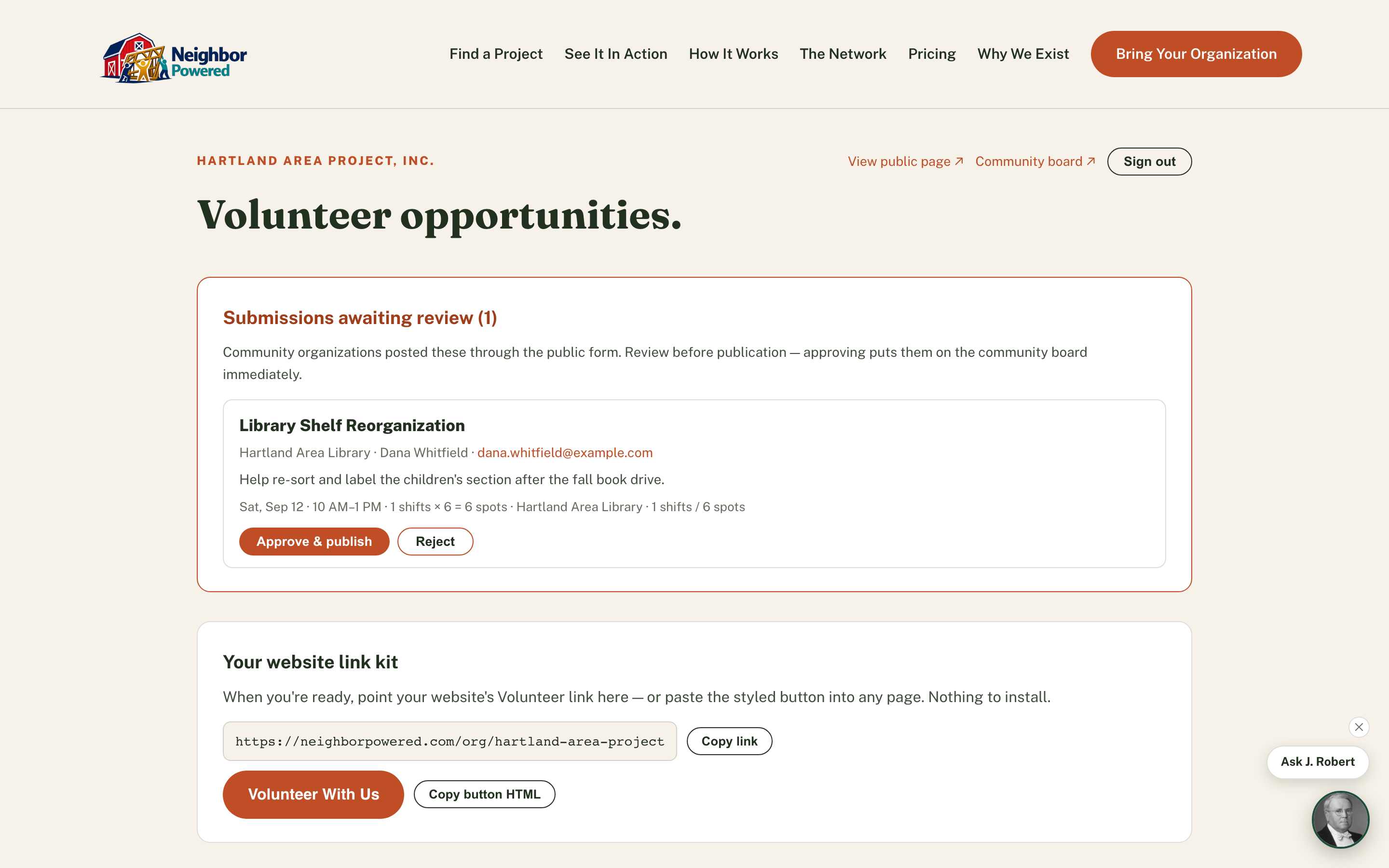
Sign in to your portal
Every organization gets a hosted page at neighborpowered.com/org/your-org from day one — live before you've changed a single line of your own website.
Copy your link or button
One click copies the portal URL, or copies a pre-styled button's HTML — paste it anywhere your web person already manages your Volunteer link.
Post, edit, and close opportunities
The same schedule builder used everywhere else, plus edit, close, reopen, and remove — removing an opportunity with existing signups closes it instead, so the history is never lost.
Why it matters
An organization is live and taking real signups the same day they join — the hosted portal works with zero integration, and swapping their existing Volunteer link is a one-line change whenever they're ready.